You have a 40-page textbook chapter assigned for next week's class. Your students are supposed to read it. Realistically, half will skim it and half will not open it at all. You know from experience that a reading assignment without accountability is a suggestion, not an assignment. What your students need is a reason to engage with the material—and an interactive quiz built directly from that chapter provides exactly that.
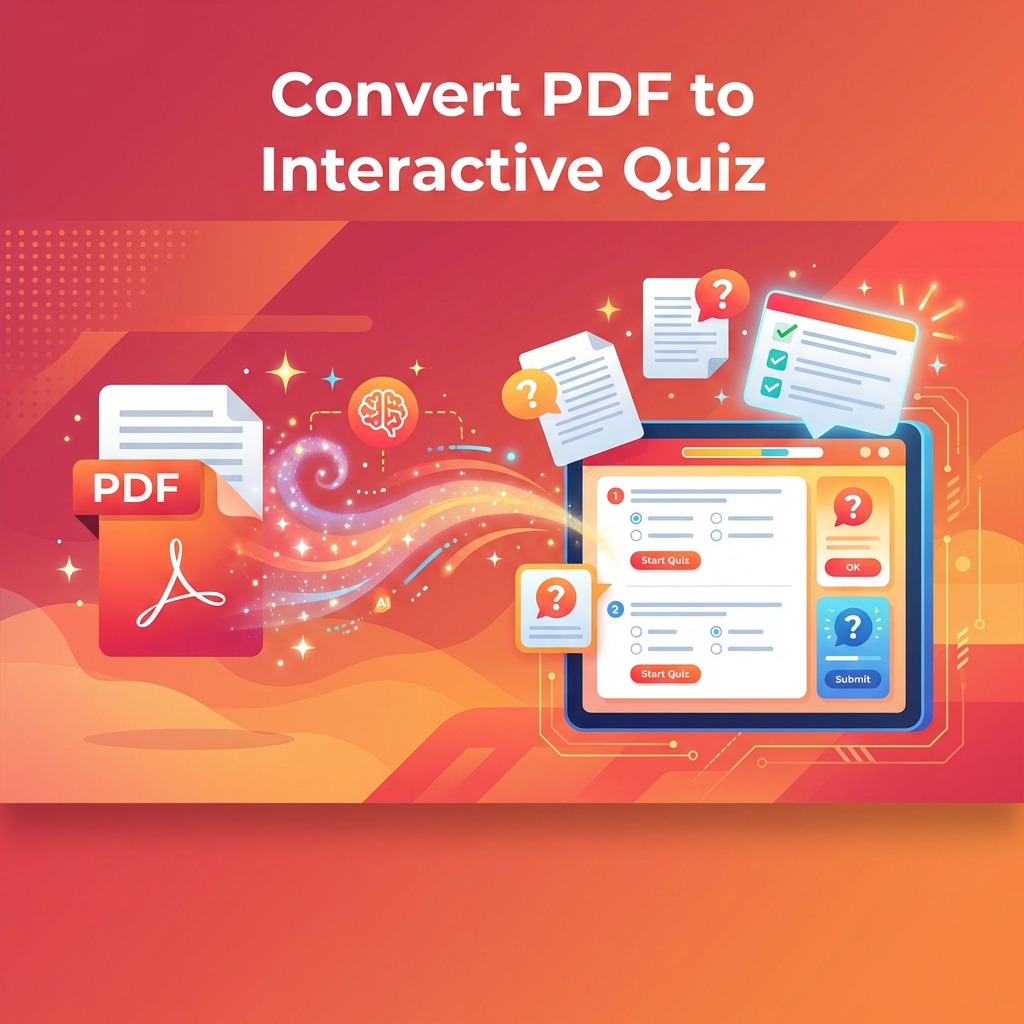
Converting PDF content into quizzes used to mean reading through the document yourself, manually writing questions, and formatting everything into a presentable assessment. That process takes one to two hours per chapter for a thorough quiz. With AI-powered conversion tools, the same result takes five to ten minutes, with the AI reading the document and generating relevant questions automatically.
This guide walks through the entire process: preparing your PDF for the best results, understanding what the AI does with your content, reviewing and refining the generated questions, and deploying the quiz effectively.
Why PDF-to-Quiz Conversion Matters
Before diving into the how, it is worth understanding the why. PDF-to-quiz conversion is not just a time-saver. It fundamentally changes the relationship between reading assignments and learning outcomes.
When students know they will be quizzed on a reading, they read more carefully. This is the testing effect in action—the anticipation of retrieval practice changes encoding behavior during initial study. Research by Szpunar, Khan, and Schacter (2013) found that students who expected to be tested on material engaged in more effective study strategies and retained significantly more than students who expected to simply reread the material.
Additionally, the quiz itself becomes a retrieval practice opportunity. Students who take a quiz after reading retain more than students who reread the same passage for an equivalent amount of time. The quiz does not just measure learning—it causes learning. This makes PDF-to-quiz conversion doubly valuable: it motivates deeper initial reading and then reinforces that reading through retrieval.
Preparing Your PDF for Better Results
The quality of AI-generated quiz questions depends heavily on the quality of the input document. Not all PDFs are created equal from an AI processing perspective. Understanding what makes a PDF easy or difficult for AI to process helps you select the right documents and set appropriate expectations.
- Text-based PDFs (created digitally from Word, PowerPoint, or similar) produce the best results. The text is clean, structured, and directly parseable by AI models.
- Scanned PDFs (images of printed pages) require OCR (Optical Character Recognition) first. Modern OCR is quite accurate for printed text but may introduce errors with unusual fonts, poor scan quality, or complex layouts.
- PDFs with heavy visual content (charts, diagrams, infographics) present challenges because AI extracts text but may not fully interpret visual information. Consider supplementing with text descriptions of key visuals.
- PDFs with complex formatting (multi-column layouts, sidebars, text boxes) can confuse text extraction. If your PDF has these, expect some noise in the output and plan for slightly more editing.
- Very long PDFs work better when processed in sections. A 200-page textbook will produce better results as individual chapters than as a single upload.
The Conversion Process: What Happens Under the Hood
When you upload a PDF to an AI quiz generation tool, several processing steps occur. Understanding these helps you troubleshoot when results are not what you expected.
First, the system extracts text from the PDF. For text-based PDFs, this is straightforward. For scanned documents, OCR converts the image to text. The system might also detect the document's structure—headings, paragraphs, lists, tables—to understand the content hierarchy.
Next, natural language processing models analyze the extracted text. They identify key concepts, important facts, definitions, relationships between ideas, and the overall topic structure. This analysis determines what questions the system will generate.
Then, question generation models create questions targeting the identified concepts. For each question, the system produces a stem (the question itself), a correct answer, and distractors (wrong answers). The best systems also generate explanations for why each answer is correct or incorrect.
Finally, the questions are formatted into an interactive quiz structure that students can take digitally, with automatic scoring and immediate feedback.
Step-by-Step: Converting Your First PDF
Here is a practical walkthrough using a textbook chapter as an example. The process is similar across most AI quiz generation platforms, though specific interfaces vary.
- Select your source PDF. Choose a chapter or section with clear, text-heavy content. Avoid sections that are primarily images, tables, or mathematical notation (these are harder for AI to process accurately).
- Upload the document. Most platforms accept files up to a certain size (typically 10-50 MB). If your file is larger, extract the relevant pages first using any PDF tool.
- Configure quiz settings. Specify the number of questions you want (start with 15-20 for a typical chapter), the question types (multiple choice, true/false, fill-in-the-blank), and the difficulty level if the platform offers this option.
- Generate the quiz. Processing typically takes 30 seconds to two minutes depending on document length. The AI reads the content, identifies key concepts, and produces questions.
- Review each question carefully. This is the most important step. Read every question, verify accuracy, check that distractors are plausible but clearly wrong, and ensure the answer key is correct. Remove or edit any question that is ambiguous, trivial, or inaccurate.
- Add your own questions. AI tends to focus on explicitly stated facts. Add questions that require inference, connection to prior knowledge, or application of concepts—areas where your expertise as the educator adds the most value.
- Test the quiz yourself. Take it. Experience it as a student would. Note any confusing wording, unexpected answer choices, or technical issues. Fix them before assigning to students.
- Deploy the quiz. Share with students, set a deadline, and consider whether the quiz should be timed or untimed, single-attempt or multiple-attempt.
Common Pitfalls and How to Avoid Them
Even with good tools, certain mistakes reduce the effectiveness of PDF-to-quiz conversion. Awareness of these pitfalls helps you avoid them.
Over-reliance on generated questions is the most common pitfall. AI-generated questions are a starting point, not a finished product. Skipping the review step leads to occasional incorrect answers, ambiguous wording, or questions that test trivial details while missing important concepts. Budget five to ten minutes for review and editing, even when the AI output looks good at first glance.
Testing only low-level recall is another common issue. AI naturally gravitates toward factual questions because they are easiest to generate from text. Make a deliberate effort to supplement with higher-order questions that require analysis, comparison, or application. If the AI generated 20 recall questions, keep the 10 best and add 5 to 10 application-level questions of your own.
Ignoring document quality is a third pitfall. If your source PDF has errors, outdated information, or poorly organized content, the AI will faithfully reproduce those problems in the quiz. Always use reliable, current source materials.
Use Cases Beyond the Classroom
PDF-to-quiz conversion is valuable far beyond traditional education. Corporate trainers use it to create knowledge checks from compliance manuals, product documentation, and policy handbooks. Medical educators build board exam preparation quizzes from clinical guidelines and research papers. Self-directed learners create study quizzes from any material they need to master.
In corporate settings, the efficiency gain is particularly significant. A training team might need to create assessments for dozens of policy documents every year. Manual quiz creation for this volume is prohibitively time-consuming. AI conversion reduces the workload from weeks to days while maintaining assessment quality.
We have a compliance training library of over 200 documents. Creating quizzes for all of them would have taken our team months. With AI conversion, we completed the entire library in under two weeks, with each quiz reviewed and approved by a subject matter expert.
— Lisa Park, Corporate Learning Director
Getting the Most from Your Converted Quizzes
The value of a quiz extends well beyond the moment students take it. Use quiz results to guide your next instructional session. Focus class discussion on the concepts that the quiz revealed students struggled with most. Share anonymized class-level results with students so they see the common sticking points. Let students retake quizzes after reviewing the material to track their own improvement.
Build a question bank over time. Each PDF you convert adds to a growing library of vetted, refined questions. After a few semesters, you will have enough quality questions to generate multiple unique quiz versions, create comprehensive review assessments, and provide students with extensive practice materials—all grown from your original PDF-to-quiz conversions.
The ultimate measure of success is not how quickly you can create a quiz. It is whether your students engage more deeply with the assigned reading, retain more of what they read, and perform better on high-stakes assessments because your low-stakes quizzes gave them the retrieval practice they needed. That is the real return on your five-minute investment.
Ready to Transform Your Quiz Creation?
Join thousands of educators using AI to create engaging assessments in seconds.
Get Started Free